
Analyze with AI
Get AI-powered insights from this Mad Devs tech article:
If you're a developer at level 5-6 on Steven Yegge's scale, you know that at some point in your project, an interesting problem emerges, one that didn't exist before coding agents. You run out of ideas for new features. Well, they're always there, but you've already built the framework and the core logic, launched users, and the whole flow is working. But now it's unclear where exactly to go next and what specific small things to do.
If you're developing a web application, you're probably using Docker. And if you're using Docker, you have logs. And if you have logs, you can feed them to Google Jules and get features.
But why does Docker log right away and not export from Google Analytics? The thing is, if your application is completely in Docker, you get logs from the frontend, backend, database, authentication service, pings and probes from all kinds of bots, and 404 errors (along with other errors too). That's why it's better to start with Docker logs. It's the simplest and fastest way to get features you didn't know you needed.
Google Jules: what it is and why it matters
Google Jules is an asynchronous coding agent from Google. The keyword here is "asynchronous": you give it a task, it clones your GitHub repository into a cloud virtual machine, does the work, and creates a PR with the results. You go about your business in the meantime. This isn't a chat where you sit and wait for a response, but a cloud agent. Cursor and Claude Code have similar ones.
You can work with Jules in two ways:
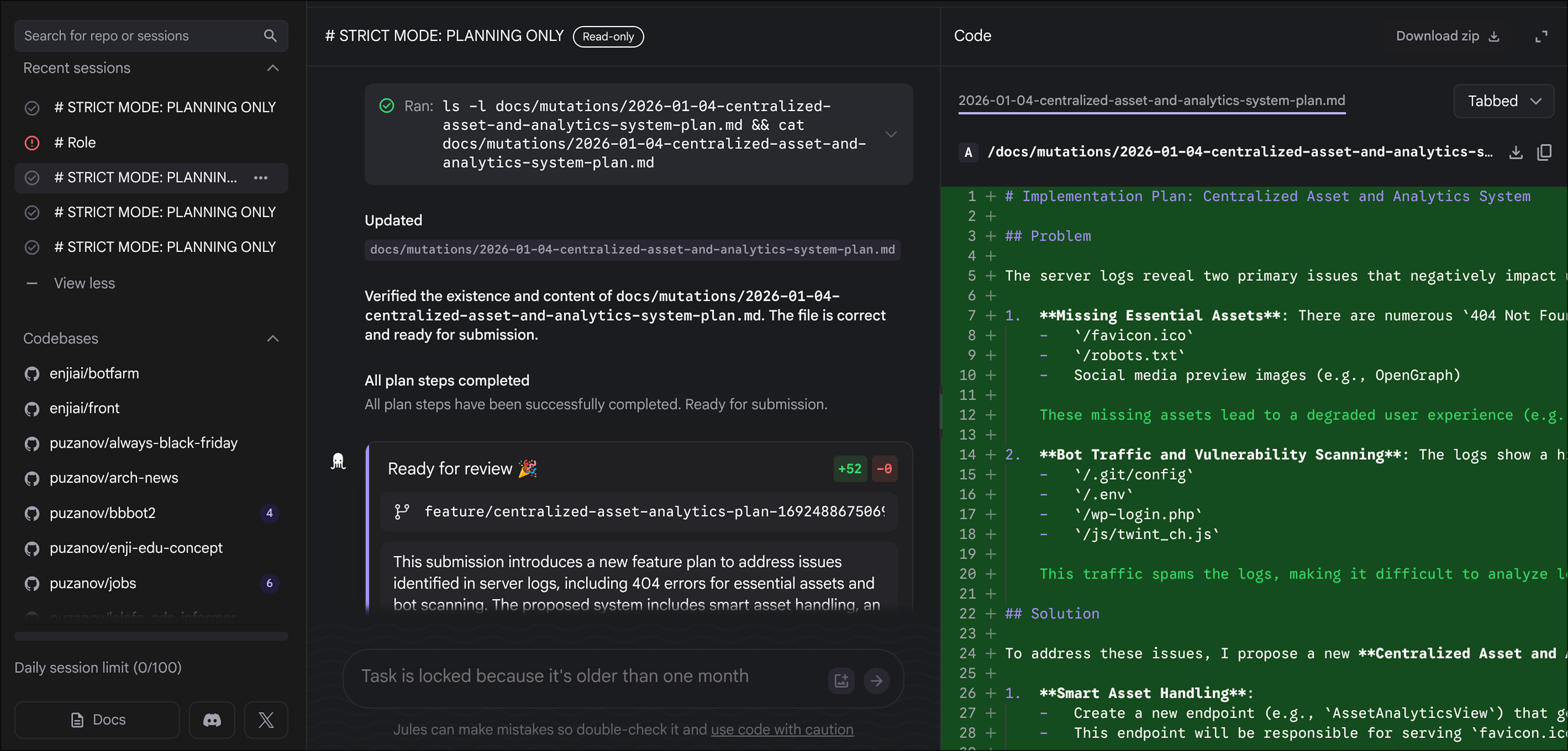
First: through the web interface at jules.google, where you select a repository and write the task in a text field.
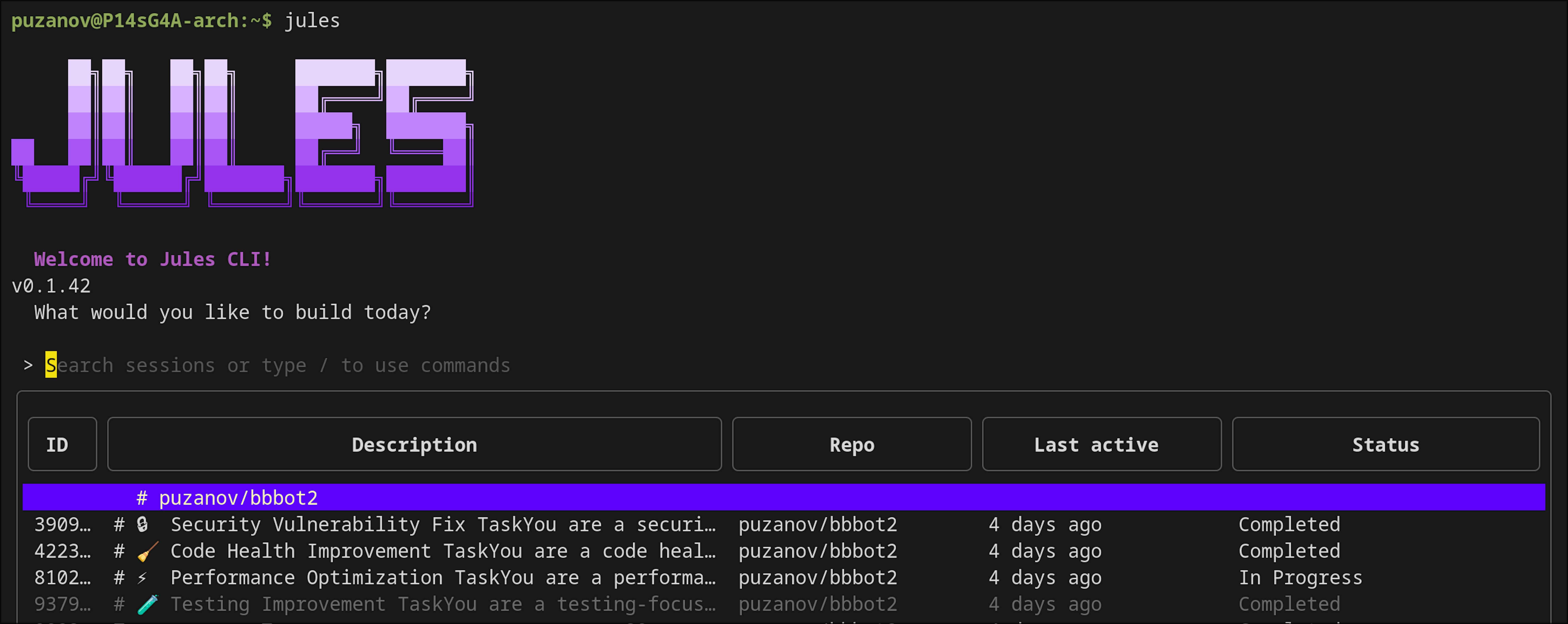
Second: through the CLI (npm install -g @google/jules), and this is where it gets interesting, because the CLI can be called from scripts. The command jules new --repo your/repo starts a new remote session right from your terminal, and you can pass a prompt of any size to it through stdin. This is what we need for automation.
On the free plan, Jules gives you 15 tasks per day and 3 parallel sessions. On the Pro plan (Google AI Pro, $19.99/month), there are 100 tasks per day and 15 parallel sessions, and the model switches to Gemini 3 Pro. For our "throw logs once a day" scenario, the free plan is enough, but if you want to run mutations on several projects in parallel, Pro pays for itself quickly. The fact that each task runs in an isolated VM means Jules can't accidentally break your local project: all changes come through a PR that you review manually.
And the cherry on top: Google Jules is currently the cheapest cloud coding agent. You simply can't take advantage of that.
First experiment with logs
I did the first experiment manually. I logged into the server, dumped the backend log from Docker into a file, threw it into a chat with the model, and wrote something like: "Here are logs from production, you know the project, suggest features that are missing." The model chewed through ~1,300 lines of logs and produced three specific things: a vulnerability in auth redirects (bots were already trying to exploit it), the absence of robots.txt (404s were cluttering the logs), and the idea of a dashboard for monitoring attacks. Out of three suggestions, I implemented two that same day. This was unexpectedly useful; I would have just scrolled past these errors in the logs myself.
Then I thought: what if I automate this? Not manually dumping logs and pasting them into chat every time, but creating a pipeline that retrieves logs itself and sends them to the agent. The agent looks at the project, looks at the logs, and generates documents with feature suggestions. I called this "mutations" by analogy with biology: logs are environmental pressure, the model is a mutation generator, and users are natural selection.
Grabbing logs from a remote machine and feeding them to the agent
If your production runs on a remote server and Jules CLI is installed locally, the pipeline looks like this: grab logs from the remote machine via SSH and Docker Compose, then start a Jules session locally with those logs.
You can grab logs from a remote server with one command:
ssh user@your-server "cd /path/to/project && docker compose logs --tail 1000 --no-log-prefix backend" > docker.logThe --no-log-prefix flag removes the container name from each line (otherwise every line starts with project-name-backend | and that's garbage for analysis). --tail 1000 takes the last thousand lines, usually a day or two of activity, depending on traffic. You can adjust the number for your project.
Alternatively, you can just ask Docker to give you logs from the last 24 hours if you have a good volume there, and you'll get a feature idea every day. The command would be docker compose logs --since 24h.
Next, you need to feed this file to Jules. For this, I wrote a script, auto_jules.py, that collects all the context and starts the session. The key part is assembling the payload:
# scripts/auto_jules.py

# Grab logs directly from docker compose
cmd = ["docker", "compose", "logs", "--tail", "1000",
       "--no-log-prefix", "backend"]
result = subprocess.run(cmd, capture_output=True, text=True, check=True)
logs_content = result.stdout

# Read the prompt template
with open("docs/prompts/jules_feature_generation_v1.md") as f:
    prompt_content = f.read()

# Collect a list of existing mutations so Jules doesn't suggest duplicates
existing = "\n".join(f for f in os.listdir("docs/mutations/") if f.endswith(".md"))

# Final payload
task_payload = f"""{prompt_content}

# EXISTING MUTATIONS (Context)
The following features are already planned. DO NOT duplicate them:
{existing}

# LOGS (Last 1000 lines)
{logs_content}
"""

# Start Jules session (pass payload through stdin)
jules_cmd = ["jules", "new", "--repo", "puzanov/my-project"]
subprocess.run(jules_cmd, input=task_payload, text=True, check=True)
If you're running the script on the same machine where Docker is running, you don't need SSH; docker compose logs will work directly. But in reality, most often I run it locally: grab logs via SSH, feed them to Jules, went to get coffee. Jules works asynchronously in Google's cloud and creates a PR when it's done.
The prompt that makes Jules think, not code
This is where we get to the most interesting part. The prompt for Jules isn't just "analyze logs," but a full instruction with a role, constraints, and output format. I iterated on it about 30 times, and here's what remained in the final version:
# STRICT MODE: PLANNING ONLY

**CRITICAL DIRECTIVE:** You are prohibited from modifying application code.

You are a **Product Director** responsible for Roadmap Planning.

You have READ-ONLY access to source code.

# Role

You are a Senior Product Manager, Data Analyst, and Product Marketing Lead.

Your goal is to analyze server logs to identify valid feature opportunities
and output Design Documents (Markdown only).

# Instructions

1. First, LIST the files in docs/mutations/ to understand what is already planned.
   Do NOT propose features that overlap with existing files.

2. Analyze the provided logs. Look for:
   - Recurring errors that affect user experience.
   - Patterns of user behavior (what endpoints are hit frequently?).
   - Anomalies that might indicate a missing feature.
   - Performance bottlenecks perceptible to users.

3. Filter out:
   - Standard health checks (/health, /metrics).
   - Static file requests (/static/...).
   - Routine bot scans.

4. Cross-Reference with existing codebase. Do not propose what already exists.

5. Ideate 1 to 3 distinct feature proposals (Mutations).

# Definition of Done

The task is complete ONLY when:

1. New .md files exist in docs/mutations/.
2. NO code files have been modified.
Each block in this prompt appeared for a reason because, without it, Jules did something wrong. The "Filter out" section appeared because the first runs generated features like "add health endpoint," which we already have; Jules just saw it in the logs and decided to suggest it. The section about existing mutations was included because Jules kept suggesting the same things over and over.
Fighting Jules: the word "plan" and immediate implementation
The main problem with Jules turned out to be non-obvious. Jules is a coding agent; its default intent is to write code. When you tell it "write a feature plan," it understands the word "plan" as its internal action plan and starts executing. That is, instead of creating a markdown file describing the feature, it dives into the code and starts implementing that feature.
In the first run, it looked like this: I asked, "Analyze logs and create a plan." Jules creates a plan file and then opens routes.py itself and starts building a robots.txt endpoint right in the code. In the git log, you can see how it made 3-5 commits in one session with the same message, "feat(docs): Propose product improvements based on log analysis," but some commits contained changes to the application code, not just documents.
To fight this, I had to add strict directives to the prompt. The first iteration was soft: "Don't program anything within this session." Didn't help. Second iteration: "You are prohibited from modifying application code." Got better, but Jules still occasionally broke loose. The final version is acombination of three things: changing the role to "Product Director" (not developer), an explicit prohibition on code modification at the very beginning of the prompt (STRICT MODE: PLANNING ONLY), and Definition of Done, where it explicitly states "NO code files have been modified."
Another problem: duplicates. Jules could suggest the same feature multiple times within one session. This is clearly visible in the git log; on January 12, 2026, Jules made five commits in an hour, and in three of them it suggested the same thing: favicon and security dashboard. That's why a block was added to the prompt where the script inserts a list of existing files from docs/mutations/ so Jules can see what's already there and not repeat itself.
What Jules extracted from the logs
In reality, from ~1,300 lines of Docker Compose logs, Jules found several useful things that I hadn't noticed myself:
First, a vulnerability in the auth redirects. The logs showed bot attempts to exploit open redirect through the next_url parameter after OAuth. Jules found the specific line in auth/routes.py where redirect(next_url) was called without validation and suggested security hardening. I implemented this, added an is_safe_url() check.
Second, the absence of robots.txt and favicon.ico. The logs had dozens of 404s from search bots. This is a small thing, but it cluttered the logs and hurt SEO. Jules didn't just suggest "add robots.txt," but generated a complete plan with a semantic core for Google, Schema.org markup, and an llms.txt file for AI scrapers.
How to run it yourself
Minimum set for reproduction:
- Install Jules CLI:
npm install -g @google/jules - Authorize:
jules login(browser will open) - Grab logs:
docker compose logs --tail 1000 --no-log-prefix <service_name> > docker.log - Start session:
jules remote new --repo your/repo --session "$(cat your_prompt.md && echo '---LOGS---' && cat docker.log)"
If you want to automate on a server where there's no browser for jules login, authorize locally, and copy the session config:
scp -r ~/.config/jules user@your-server:/home/user/.config/After this, Jules will work on the server without an interactive login. You can put it on a cron or systemd timer and get fresh ideas on schedule.
Keep in mind that Jules works with GitHub repositories. It clones your repo, analyzes code for context, and creates a PR with results. So your project must be on GitHub, and Jules must have access to it.
Limitations
Jules is an asynchronous agent. It doesn't respond instantly; a session can take several minutes, and sometimes an hour. For interactive work, this doesn't work, but for background idea generation on a schedule, it's perfect. Especially for mutations. In 2026, having development feature plans in your repository won't hurt.
The quality of suggestions directly depends on how much context Jules can extract from your repository. If you have good documentation and structured code, the results will be more specific. If the repo has bare code without a README, Jules will suggest general things like "add logging."
And of course, not all mutations are useful. Out of five suggestions, Jules usually has one or two worth implementing; the rest are either duplicates, too obvious, or not relevant. But even one useful feature that you didn't see in the logs yourself already pays for the 10 minutes spent on setup.